Case study 04

An Interactive Phishing Awareness Scenario

A branching, code-built scenario teaching IBA students to recognize phishing.

Overview

A solo project built from scratch in HTML, SCSS, and JavaScript. Instead of telling students what phishing looks like, the scenario puts them inside a realistic phishing attempt and lets their choices play out. I handled everything from interaction logic to visual design and front-end build.

Team
Solo project
Role
Designer
Developer
Subject
Phishing awareness, cyber security
Year
2026

Tools used:

  • Figma
  • Canva
  • HTML
  • SCSS
  • JavaScript
  • GitHub

The challenge

IBA students are easy phishing targets: they’re online constantly and receive a steady stream of institutional email. Abstract warnings don’t build the skill of spotting a wrong sender address, false urgency, or a suspicious link. I wanted the lesson to come from experience, not a warning label.

Concept

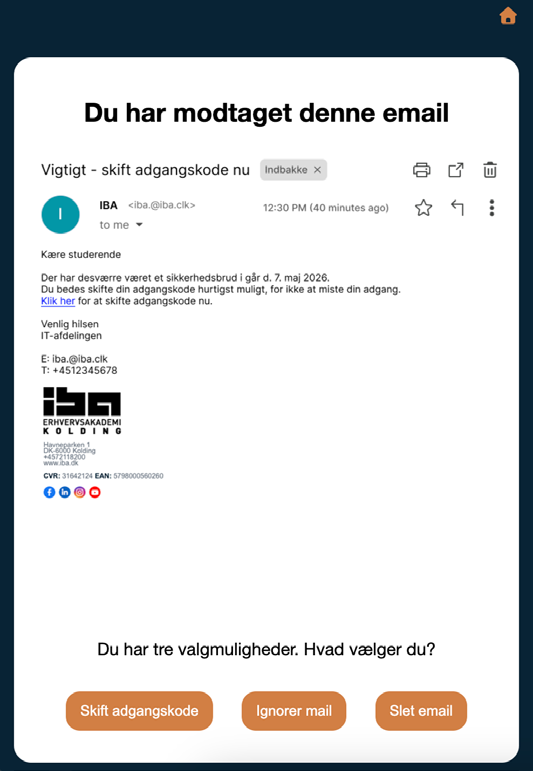
The scenario opens with a spoofed email from “IBA IT”, sent from a look-alike address (iba.@iba.clk instead of iba@iba.dk), warning of a security breach and pushing the student to reset their password. It then branches three ways:

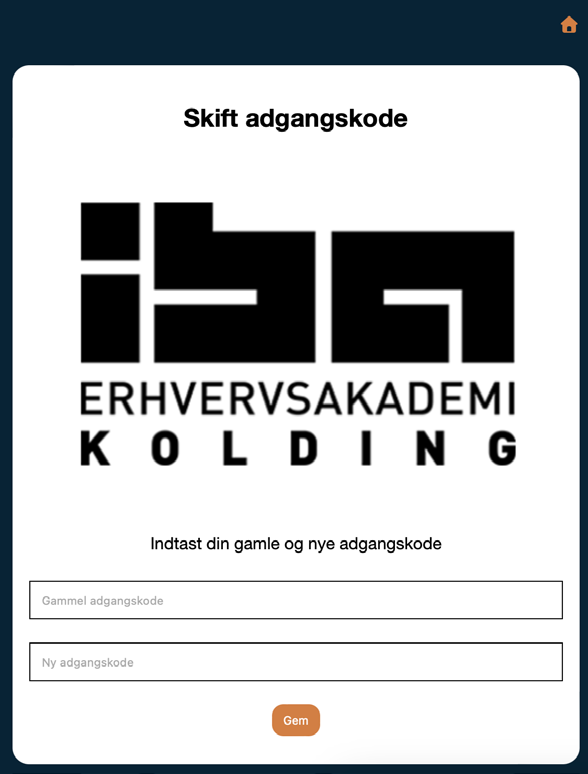
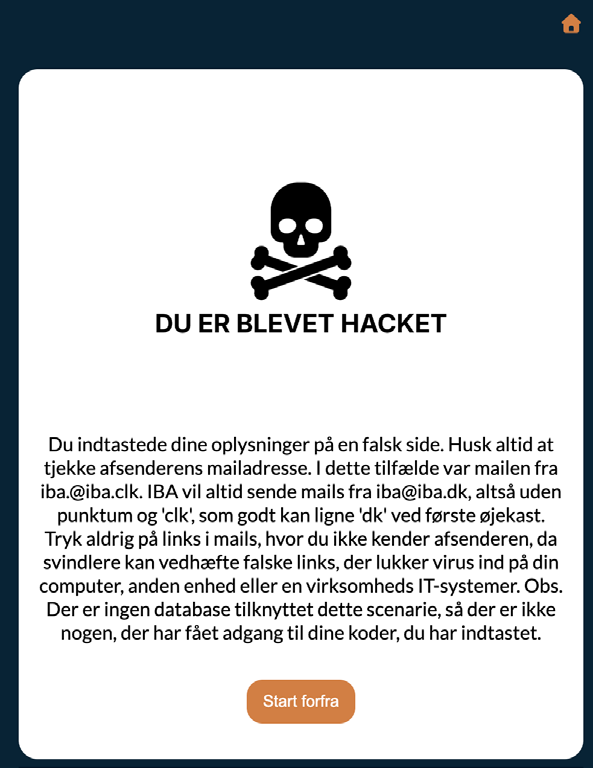
  • Change password — a fake login page, then a “you’ve been hacked” reveal and a breakdown of what gave the email away.
  • Ignore it — safer than clicking, but the email remains a lingering risk.
  • Delete it — the strongest choice, followed by a prompt to block and report the sender.

Each path ends with a short security lesson tied to the choice just made.
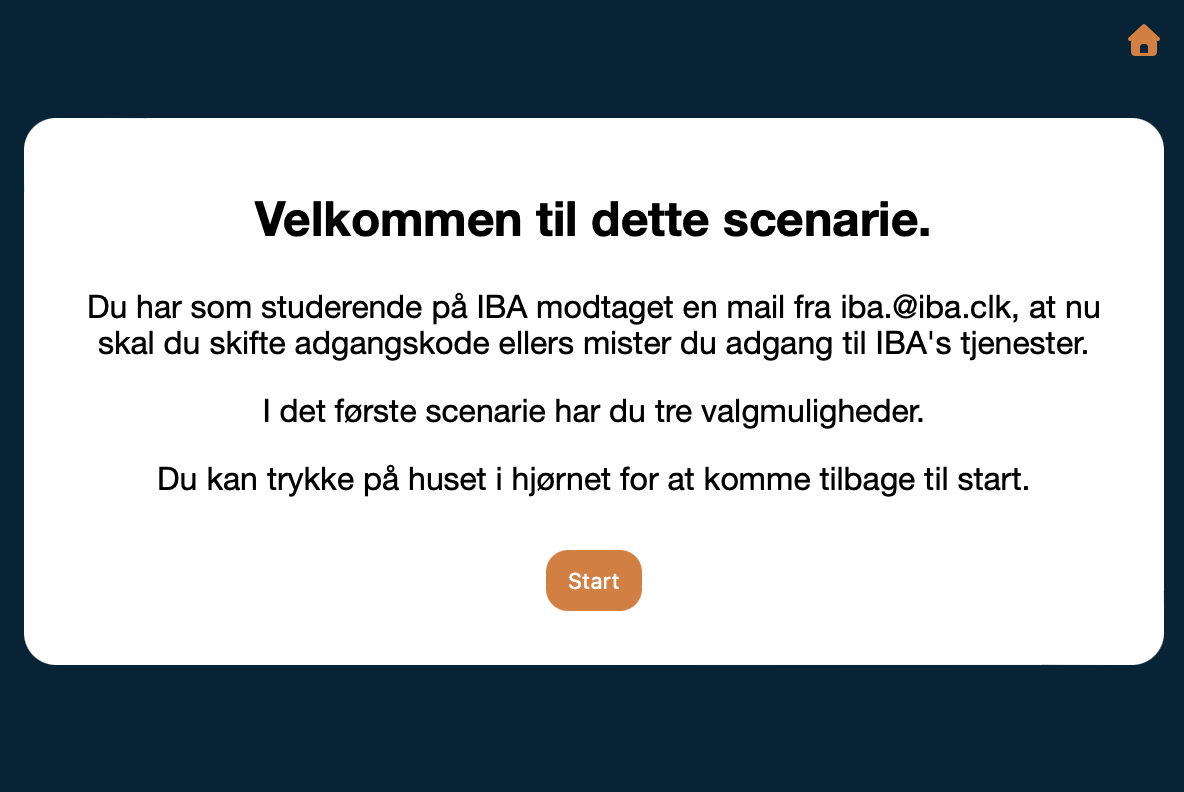
Welcome screen
Welcome screen of the scenario, with Danish instructions and a Start button.
The three steps of the “change password” path

Do you want to read more about this case study?

Case study 04 – continued

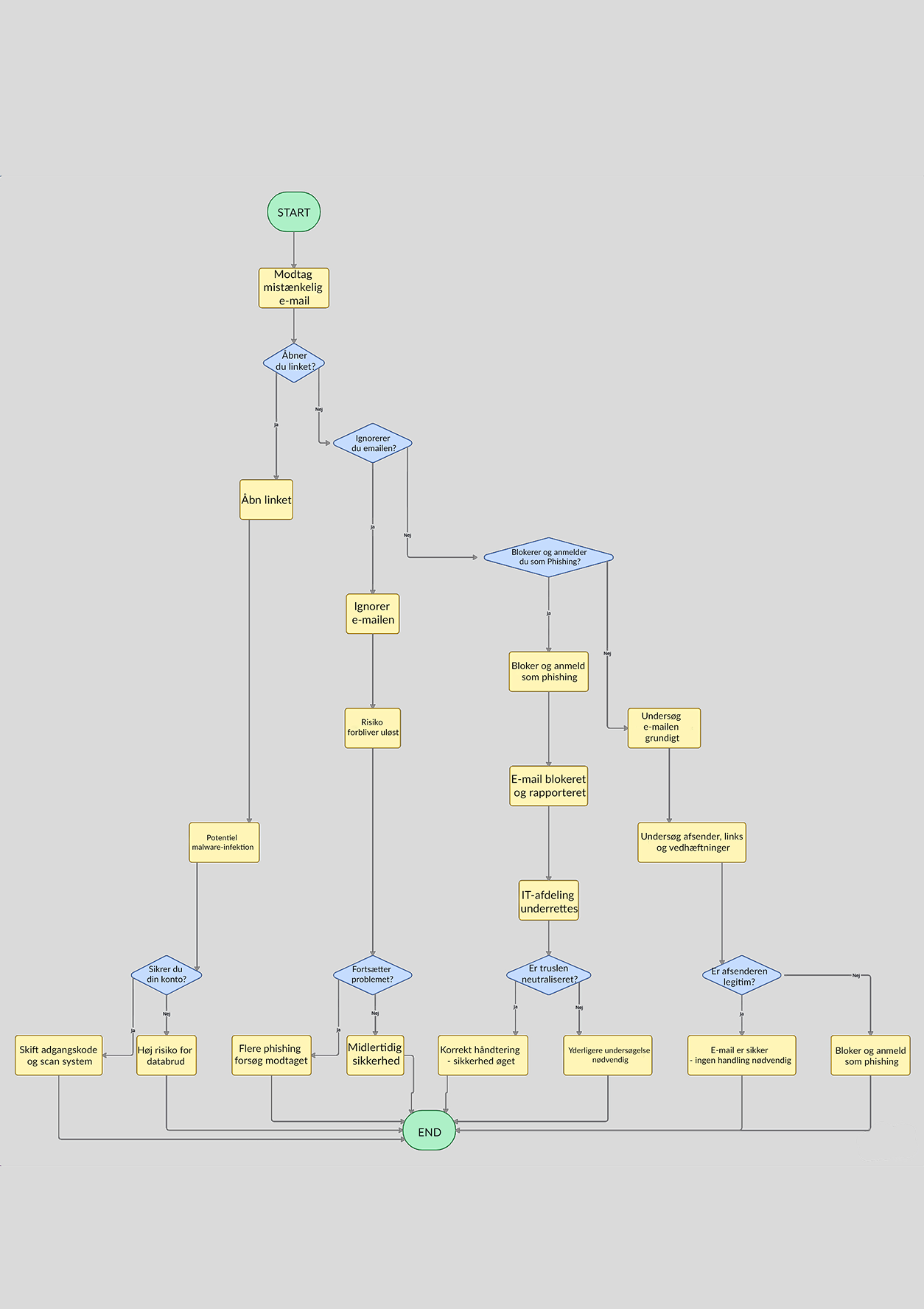
Flowchart
Flowchart of every branch in the scenario: the email, the three choices, and the lesson at the end of each path.

Process

Design started in Figma, mapping out the full branching logic as a flowchart before any code was written — tracing every possible path a student could take through the scenario and what each one needed to teach. That flowchart became the blueprint for the JavaScript state logic later on.

From there the build moved into HTML for structure, SCSS for styling, and JavaScript for the interaction and branching logic, with the phishing email, fake login screen, and “hacked” reveal all designed as in-scenario assets rather than generic stock imagery.

Outcome

The result is a working, publicly hosted interactive scenario that turns a phishing warning into something a student actually experiences and makes choices inside of. The payoff is real, specific security guidance, arriving at exactly the moment it’s most relevant to what they just chose.

Two limitations remain: button placement on mobile, and the scenario has not yet been validated with real users. Next steps are fixing the layout structure and testing with IBA students.

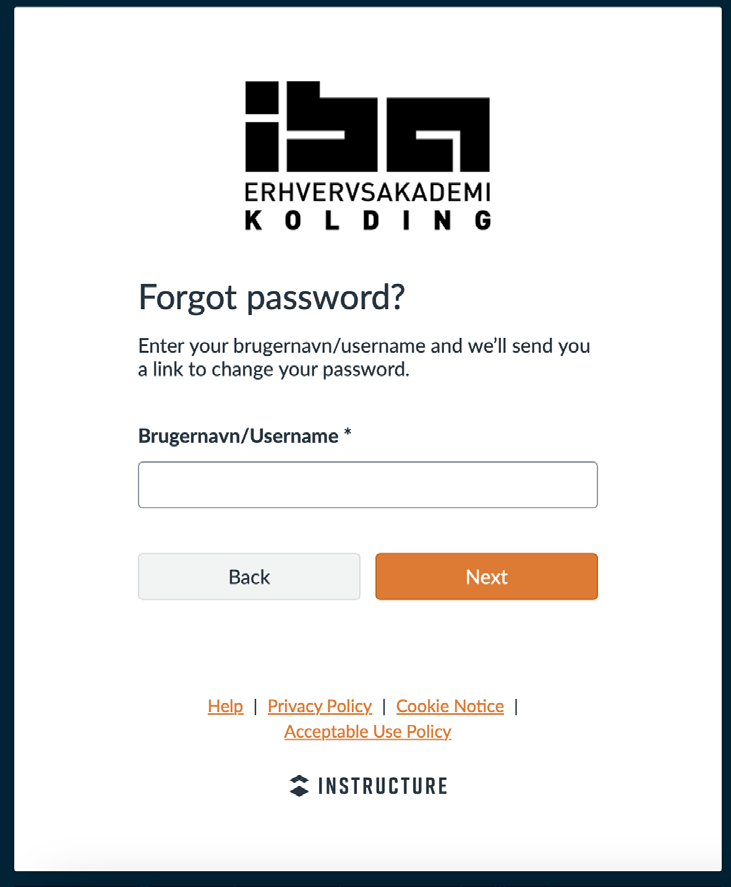
Reference: IBA’s real “forgotten password” page
IBA’s real forgotten-password page, used as the design reference for the fake login page.